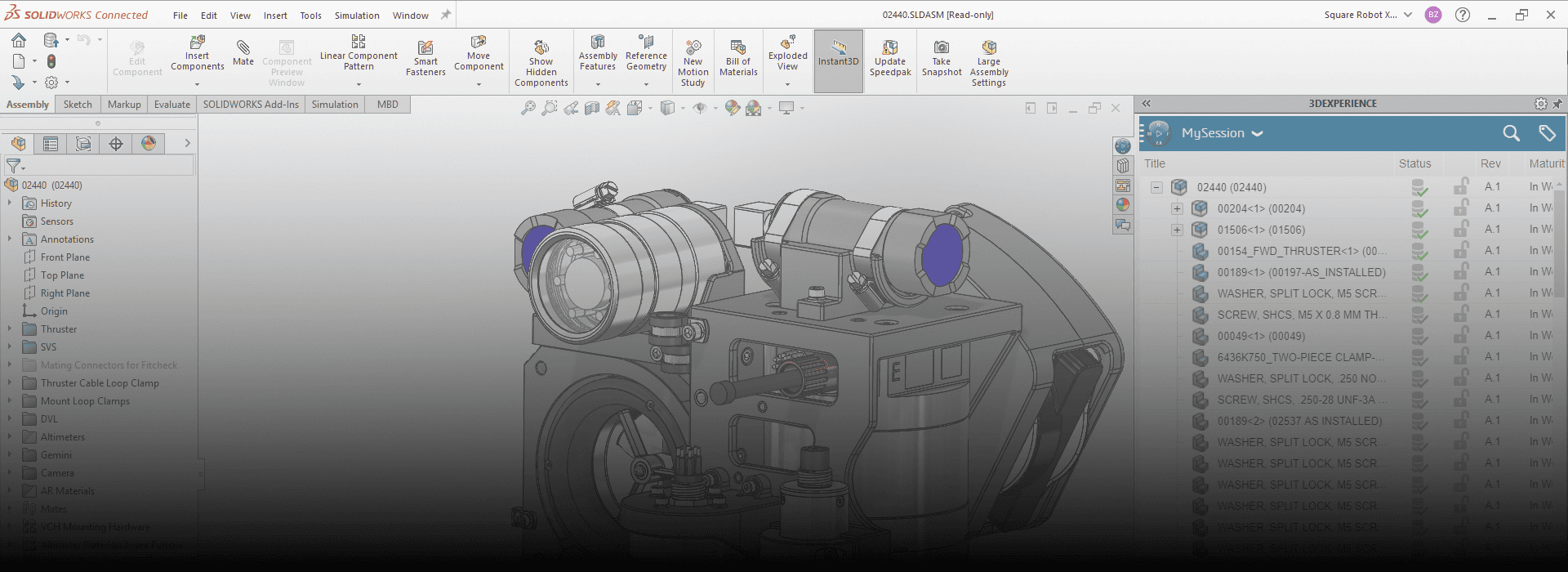
What is SOLIDWORKS?
SOLIDWORKS is a powerful computer-aided design (CAD) and computer-aided engineering (CAE) software used primarily for 3D modeling, simulation, product design, and manufacturing. It is developed by Dassault Systèmes and is widely used across engineering fields, especially mechanical, product, aerospace, automotive, and industrial design.
Master the industry-standard for 3D design by enrolling in our comprehensive SolidWorks certification course, designed to take you from beginner to professional.
SOLIDWORKS is a parametric 3D modeling software that enables engineers and designers to:
Create detailed 3D models of parts and assemblies
- Generate 2D drawings for manufacturing
- Run simulations and analyses to test strength, motion, heat flow, etc.
Manage product data and workflows
Uses and Purposes of SOLIDWORKS
- 3D CAD Modeling: Create realistic 3D models of mechanical parts and complete assemblies.
- 2D Drafting: Automatically generate 2D manufacturing drawings from 3D models.
- Product Design: Ideal for designing mechanical components, devices, machines, tools, etc.
- Simulation & Analysis: Perform stress tests, motion analysis, fluid dynamics (CFD), and thermal simulations.
- Manufacturing Preparation: Use CAM tools (e.g., SOLIDWORKS CAM) for CNC machining.
- Prototyping: Easily export designs for 3D printing or rapid prototyping.
- Electrical Integration: Use SOLIDWORKS Electrical for PCB and wiring design.
- Data Management: Organize files and revisions using SOLIDWORKS PDM (Product Data Management).
Benefits & Advantages of Using SOLIDWORKS
Benefit | Description |
| User-Friendly Interface | Intuitive tools and menus make it beginner-friendly. |
| Time-Saving | Automates tasks like drawing generation, bill of materials, etc. |
| Accurate Prototyping | Reduces errors before physical manufacturing. |
| Integrated Simulation | Run tests on your design without needing separate software. |
| Customizable & Scalable | Wide range of add-ons for different industries. |
| Industry Standard | Recognized and used worldwide, especially in mechanical and manufacturing sectors. |
| Realistic Visualization | Photorealistic rendering for client presentations. |
How SOLIDWORKS Helps Engineering Students and Professionals
Bridges theory and real-world application in mechanical design and analysis
- Improves job readiness by building in-demand technical skills
- Allows for hands-on learning with virtual prototypes and assemblies
- Provides exposure to industry tools used in product development
Prepares students for certifications like CSWA (Certified SOLIDWORKS Associate) and CSWP (Certified SOLIDWORKS Professional)
Job Titles after Learning SOLIDWORKS
Job Title | Industry |
| Mechanical Design Engineer | Manufacturing, Automotive, Aerospace |
| Product Designer | Consumer Goods, Medical Devices |
| CAD Engineer | Engineering Services, Industrial Equipment |
| Design/Draughtsman | Construction, Tools & Machinery |
| R&D Engineer | Robotics, Defense, Technology |
| Simulation Engineer | CAE, Product Testing |
| 3D Printing Technician | Prototyping & Additive Manufacturing |
| Tool & Die Designer | Tooling, Injection Molding |
| Project Engineer | Engineering and Construction |
| Piping or HVAC Designer | Oil & Gas, Building Services |