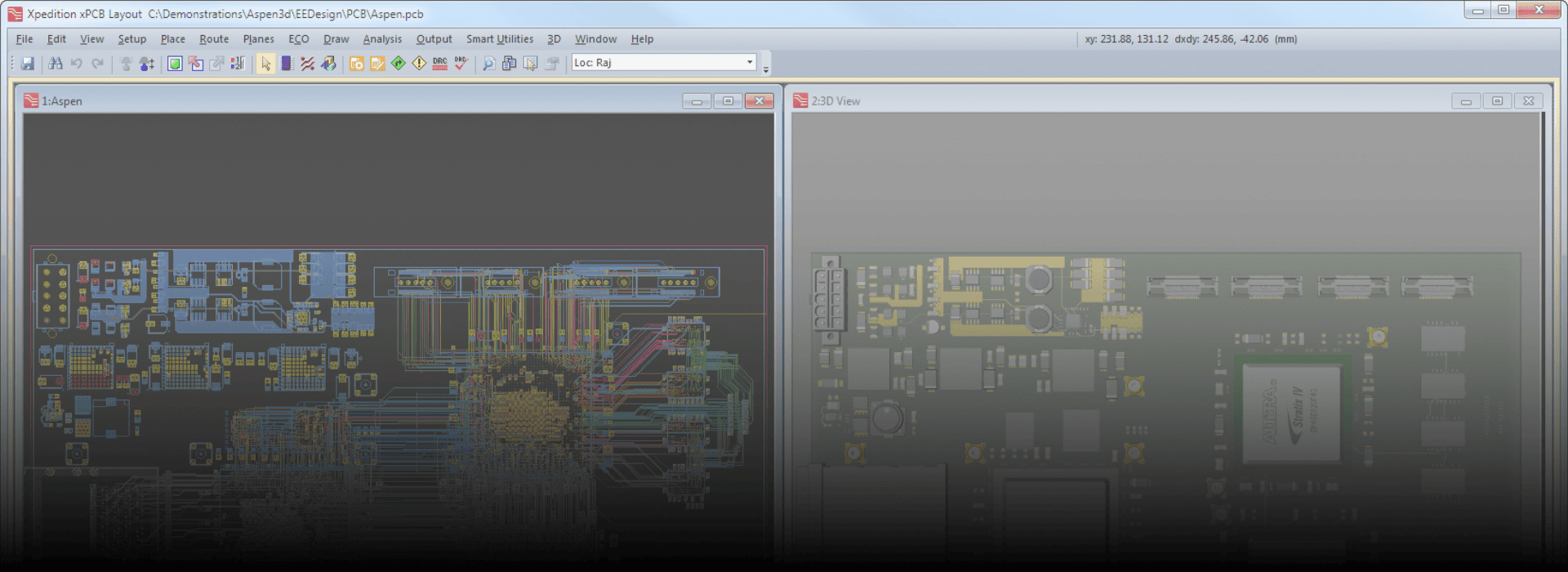
What is Mentor Graphics ?
Mentor Graphics (now part of Siemens EDA, after being acquired by Siemens in 2017) is a leading Electronic Design Automation (EDA) software suite used extensively in electrical, electronic, and computer engineering industries. It provides tools for designing, testing, and verifying electronic hardware, particularly printed circuit boards (PCBs), integrated circuits (ICs), and systems on chips (SoCs).
Uses and Purposes of Mentor Graphics
Mentor Graphics provides a range of software tools for:
1. PCB Design & Layout
Tools like PADS, Xpedition, and HyperLynx are used for creating schematic diagrams, board layouts, and signal integrity analysis.
2. IC Design & Verification
Tools for analog, digital, and mixed-signal IC design, such as Calibre (for physical verification, DRC, LVS) and ModelSim (for simulation).
3. Simulation & Testing
ModelSim/QuestaSim: Simulation of digital logic using VHDL/Verilog/SystemVerilog.
HyperLynx: Signal and power integrity analysis.
4. Embedded Systems Development
Tools for embedded Linux development, device drivers, and system-level debugging.
5. Thermal and Electrical Analysis
Tools for analyzing thermal behavior and power distribution in systems (e.g., FloTHERM).
Comprehensive Toolset
Covers the full design flow from schematic capture to simulation, layout, verification, and manufacturing prep.
High Accuracy
Industry-leading tools like Calibre provide accurate physical verification, helping ensure design correctness.
Integration
Seamlessly integrates with other tools like MATLAB, Cadence, Synopsys, and MCAD software (e.g., SolidWorks).
Reduces Time-to-Market
Automates many design tasks, helping reduce errors and accelerate the development cycle.
Used by Top Companies
Widely adopted in automotive, aerospace, semiconductor, and consumer electronics industries.
How It Helps Engineering Candidates
Mentor Graphics tools are especially useful for students and professionals in:
Electronics & Communication Engineering (ECE)
- Electrical Engineering (EE)
- Computer Engineering (CE)
Mechatronics & Robotics
Benefits to Candidates:
Hands-on experience with industry-standard EDA tools
- Improved understanding of circuit design, verification, and testing
- Skills in VLSI design, PCB design, and embedded systems
Enhances employability in core technical roles
Job Titles after Learning Mentor Graphics software
Learning Mentor Graphics tools can lead to careers in:
Hardware & PCB Design:
PCB Design Engineer
- Hardware Design Engineer
Embedded Systems Engineer
VLSI & Semiconductor Design:
VLSI Design Engineer
- ASIC/FPGA Design Engineer
- Physical Design Engineer
Layout Design Engineer
Verification & Testing:
Design Verification Engineer
- EDA Tool Application Engineer
- Simulation Engineer
Signal Integrity Engineer
Application Engineering & Support:
EDA Application Engineer
- Field Application Engineer (FAE)
Product Support Engineer