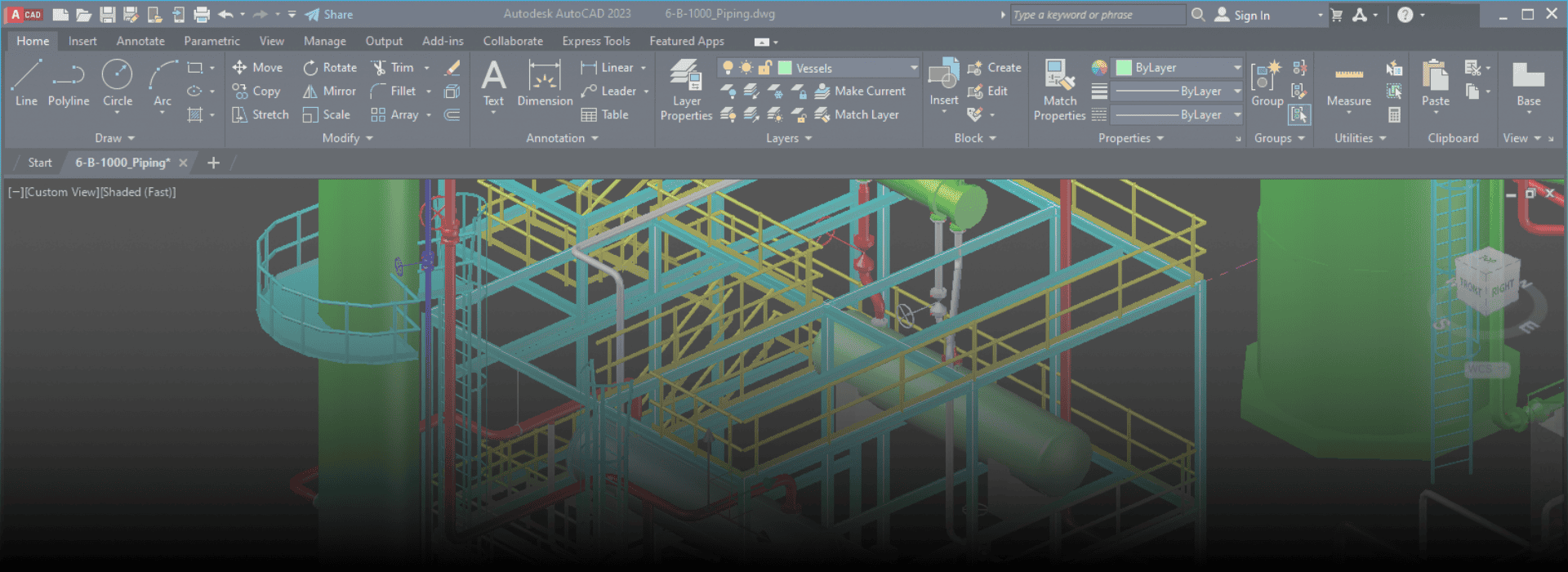
What is AutoCAD Plant 3D?
AutoCAD Plant 3D is a specialized 3D design software by Autodesk used for creating, modifying, and managing plant piping and instrumentation designs. It's built on the AutoCAD platform, tailored for process plant design, particularly in industries like Oil & Gas, Chemical, Power, and Pharmaceuticals.
AutoCAD Plant 3D allows users to:
- Create intelligent P&IDs (Piping & Instrumentation Diagrams)
- Design 3D models of piping systems, structures, and equipment
- Generate isometric drawings, orthographic views, and bill of materials
- Use project-based workflows and collaboration tools
Uses and Purposes in the Oil and Gas Sector
In the Oil and Gas industry, AutoCAD Plant 3D is widely used for:
- Designing piping systems for refineries, pipelines, offshore platforms, and storage terminals
- Creating accurate P&IDs that form the basis of detailed engineering
- Developing 3D models of piping networks, vessels, pumps, valves, and other mechanical equipment
- Generating construction documents like isometrics and layout drawings
- Enabling collaboration between mechanical, piping, and civil teams
Benefits & Advantages in Piping Engineering Design & Analysis
Key Advantages:
- Familiar Interface (AutoCAD-based)
Easier for users who already know AutoCAD to learn and use effectively. - Integrated P&ID and 3D Modeling
Links intelligent 2D diagrams to 3D models for better data consistency. - Automated Isometrics and BOM
Saves time by auto-generating isometric drawings and material lists. - Customizable Specs and Catalogs
Engineers can use or build their own piping specs to match project or code requirements (e.g., ASME, ANSI). - Clash Detection and Design Validation
Improves design accuracy by identifying clashes early in the model. - Supports Collaboration
Multiple users can work on the same project using Project Manager and Autodesk BIM 360 tools. - Lower Cost Compared to High-End Tools
More affordable than tools like SmartPlant 3D, AVEVA E3D or CADWorx especially for small to mid-sized projects.
How It Helps Engineering Candidates in Piping Design Careers
- Industry-Relevant Tool: Commonly used in small to medium-sized EPC firms and engineering consultancies.
- Quick Learning Curve: Based on AutoCAD, which many engineers already know.
- Project-Based Experience: Helps understand how a plant project progresses from P&ID to 3D to construction.
- Portfolio Building: Enables candidates to build real-world models and drawings to showcase during job applications.
- Cross-Functional Skills: Exposure to process, mechanical, and structural interfaces in plant design.
Job Titles after learning AutoCAD Plant 3D
Job Title | Typical Responsibilities |
Piping Design Engineer | Design and layout of piping systems in 3D. |
AutoCAD Plant 3D Designer | Create 3D models, isometrics, and P&IDs. |
Plant 3D Modeler | Develop complete plant layouts and equipment modeling. |
CAD Engineer | Use CAD tools for plant documentation and detailing. |
P&ID Designer | Prepare intelligent piping & instrumentation diagrams. |
Mechanical Designer | Assist in layout and design of pressure vessels and pipelines. |